RFP, Community of Practice Project Grants

LTC_Logo_FBThe University of Wisconsin-Whitewater Learning Technology Center is pleased to announce the Request for Proposal (RFP) for funding for five course-based projects, focusing on innovations in online or blended education.

Each project will be funded $300 for the completion of a semester-long, course based project, which will take place the Fall 2016 semester.  If the project specifically investigates issues related to accessibility, the Center for Students with Disabilities has graciously agreed to supplement an additional $300, for a total of $600 per project. There is a small amount of additional funding for the purchase of licenses, if necessary for the project.

The purpose of these course-based projects is to experiment with a variety of technology-based teaching solutions that work to solve a pedagogical challenge in online and blended teaching and learning, and create a repository of resources to assist faculty who are confronting similar issues.  These five projects will focus on innovation in online/blended education, with the intention that these innovative practices will be shared with the UW-Whitewater community, the UW-System, and beyond.  

Potential projects may include:  

  • Engaging students through adaptive learning or gamification
  • Exploring the effectiveness of different presentation styles and lengths using V-Brick Rev
  • Flipping a current face-to-face course
  • Incorporating open educational resources into content course design
  • Investigating a new approach to online discussions
  • Revising course using universal design principles for an accessible course
  • Revising PDF readings to promote accessibility with screen readers
  • Supporting collaborative assignments

Project proposals will be evaluated based on the following criteria:

  • Potential to meet stated learning goals;
  • Ability to be implemented on a larger scale;
  • Potential to impact instructor teaching;
  • Potential to impact student learning; and
  • Adding to the body of knowledge at the Learning Technology Center and UW-Whitewater

The participants of these projects will be required to have three project development meetings with an LTC mentor over the course of the summer and fall semester. Participants will also need to collaborate with the LTC mentor for IRB approval.  Upon completion, participants will be expected to present their experiences at a session of the Community of Practice, have a formal presentation recorded in a media studio for distribution, and create artifacts to help others implement their practice. It will also be strongly encouraged that participants seek to publish in relevant journals or present their experiences at conferences such as the Learning Technology Development Council’s Virtual Showcase, the OPID conference, and the regional D2L Ignite conferences.

Deadlines:  Proposals are due April 15, 2016.  Accepted projects will be announced by May 2, 2016.  Submit your proposal at: Community of Practice RFP.

Applications will be completed in Qualtrics and will need to address the following:

  1. What is your name?
  2. What is your email address?
  3. What is your college?
  4. In what Fall 2016 course will you be implementing your strategy?  Please provide the department, course number, and title (e.g., EDFOUND 243:  Foundations of Education in a Pluralistic Society).
  5. What is your expected course enrollment?
  6. What is the title of your project?
  7. Who will be working on this project?  Please include yourself and any collaborators, along with appropriate contact information (i.e., phone number, email address, office location)
  8. What problem or issue are you planning to investigate in this project?
  9. What is your project plan?  Please provide a plan and timeline that includes SMART objectives that account for designing your project (e.g., how you will analyze the software or strategy to make sure it works for your needs, how you will introduce it to your students in your Fall 2016 course, how you intend to assess its impact on teaching and learning, how you will gain IRB approval, etc.) over the summer, implementing your strategy in Fall 2016, and creating your artifact before the start of the Spring 2017 semester.

    SMART objectives are:  
    Specific:  your objectives must be clear so that if someone reads them, s/he can interpret them.  
    Measurable:  you should be able to measure whether you are meeting the objectives or not
    Achievable:  do not try to attempt more than you can reasonably achieve
    Realistic:  do you have the resources to achieve the objective(s)?
    Time-specific:  specify when an objective will be attained (date/timeline)

  10. How have you determined that your project is a possible solution to the project or issue you identified (e.g., tried a similar product in the past, did research, spoke with colleagues, etc.)?
  11. How do you intend to address universal design or accessibility in your project?
  12. How you do see your project impacting students, instructors, and/or the UW System?
  13. How will you evaluate the success of your project (e.g., how will you know that your strategy positively impacted students)?
  14. What other resources (LMS campus administrator, UW System technical staff, campus student support services, LEARN Center, Center for Students with Disability staff, etc.) that you will need assistance from to design and/or implement your project?
  15. Do you need to purchase additional software for this project?  If so, how much is it and what purpose does it serve for your project?  

Link to proposal:  Community of Practice RFP

If you have any questions, please contact the Learning Technology Center.
Digital Storytelling Workshop: Registration Open

David and JimThe Learning Technology Center is pleased to announce a special workshop May 18-20 on digital storytelling.  The workshop will be facilitated by Jim Winship, Professional Storyteller and Professor of Social Work.

Digital Storytelling, also referred to as a “Digital Media Narrative,” has gained momentum and visibility as a modern expression of the ancient art of storytelling. The process of digitally integrating images, music, narrative, and voice “makes meaning” through the development of characters, situations, experiences, and insights with deep dimensions and vivid colors. This form of expression has also gained credibility as an avenue to achieve course learning outcomes.

Participants will create a digital narrative or story to share with the UW-Whitewater community or to improve learning outcomes in their courses. The goal of this workshop is to create a compelling digital work that is two to three minutes in length. By the end of the workshop, each participant will have written a story, recorded the voice narration of the story, supplemented it with background sounds, and enhanced by a sound track and the use of visual images. Participants can also use the techniques learned to help students develop digital stories for their course.

Here are some insights on digital storytelling from past workshop participants:

“I got intellectually re-energized, more aware of the ‘heart’ at the center of education, more passionate about telling my stories.”- Marjorie Rhine, Professor, Languages and Literature


“The camaraderie of the participants was very moving and so were the emotional content of the stories shared.”- Max White, Associate Professor, Art


“I am changed as a result of the power, wisdom, and generosity of spirit shared by Jim Winship. He shared himself, and as a result, each participant was encouraged to share themselves as well.” – David Reinhart, Lecturer, Philosophy and Religious Studies

For more information and video examples of digital stories created by UW-Whitewater faculty, please see the Digital Storytelling wiki page.

To apply for the workshop, go to the Digital Storytelling Application by April 11, 2016.  Participation is limited to 12 participants.

If you have questions or would like more information, please contact the Learning Technology Center (LTC) at ltc@uww.edu or call 262-472-1004.

Accessible Presentations, March 16 & 17, 2016

DSC_3956The innovative use of technology in higher education continues to provide new possibilities for enhancing teaching and learning. The Learning Technology Center (LTC) Spring 2016 “Snackable Series” is a special collaboration with the Center for Students with Disabilities (CSD).

The March workshops will address the common issues with presentations (both face-to-face lectures and online), captioning, and some advice for creating presentations with accessibility in mind.

Accessible Presentations Sessions:
Wednesday, March 16, 2016:  Noon to 1 p.m.
Location:  iCIT Training Center, McGraw 112
Registration: https://my.uww.edu/signup/Registration/Details/14599

Thursday, March 17, 2016:  11 a.m. to Noon
WebEx Link:  https://uww.webex.com/uww/j.php?MTID=mf28c4fb36127d237c681ce9cfcf960e0
Registration:  https://my.uww.edu/signup/Registration/Details/14600

If you have any questions, please contact the Learning Technology Center.
Registration Open: 2016 Summer Institute for Online/Blended Teaching

DSC_3940The Learning Technology Center is pleased to announce that registration is open for the 2016 Summer session of the Institute for Online/Blended Teaching.

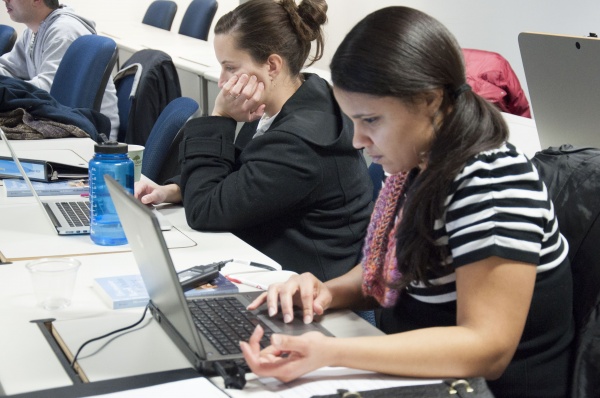
If you need to design a new (or refresh an older) online or blended course, please consider participating in this unique opportunity to collaborate with other UW-Whitewater instructors and explore proven course design strategies and best practices. This intensive and highly interactive workshop demonstrates teaching best practices using a variety of teaching methods and technology tools. The structure of this course not only allows you to explore new teaching and course design methods, but it also enables you to participate in activities that provide you with experience in being an online “student.”

The session will consist of online components, face-to-face meetings on the Whitewater campus, and web conferencing sessions.

Dates and Requirements:

The focus of the institute is to learn and practice online teaching skills, and will only briefly address D2L mechanics.  Applicants must have familiarity with basic D2L features, such as creating content, discussions, and drop-box assignments.

There are 5 mandatory meetings for the Institute; three “in-person” face-to-face sessions on the UW-Whitewater campus, and two web-conferencing meetings. The institute begins with a one-half day orientation session on April 29,  a full day meeting on May 27, and a concluding half-day meeting on July 29. In addition, there are two WebEx meetings scheduled for June 3 and July 1.

All faculty and academic staff who will be teaching at UW-Whitewater during the 2016-2017 academic year are eligible to apply. However, the workshop will be limited to 20 participants. Applications are due Friday, April 1, 2016.

Before applying, please review the syllabus: 2016 Summer Institute Syllabus

Apply Here:  2016 Summer Institute Application

If you have any questions, please contact the Learning Technology Center.
Embedded mp3 files autoplay in Desire2Learn

In the latest version of Chrome and Firefox, mp3 files embedded via D2L will auto play even when they are set to not autoplay.  This is a known issue with newer browsers.

The best work around is to use an HTML5 player to embed your mp3 files.

1. Upload your mp3 files to D2L. We suggest putting them in a directory to help keep your files organized. In this example that directory will be “audiofolder”.

2. Create or edit a content page in D2L.

3. Inside the content page click HTML source editor. The icon is in the lower left of the content editing window:
HTML Source Editor icon

4. After the <body> tag cut-and-paste the following code:

<audio controls>
<source src=”audiofolder/audiofile.mp3″ type=”audio/mpeg”>
Your browser does not support the audio element.
</audio>

Replace “audiofolder/audiofile.mp3” with the location and name of your mp3 file. Your HTML editor will look something like this:
HTML Source Editor with HTML5 mp3 player code inserted

5. Click Save.

6. Click Update.

7. Your Content page with the HTML5 mp3 player should look something like this:
D2L Content page with HTML5 mp3 player embedded in it

If you have additional questions, please contact UW-W Desire2Learn Support.

Summer 2016 Course Requests Available

Summer 2016 D2L course requests are available in the D2L Course Request Application.

As a reminder, course requests for a semester become available on the first day of priority registration for students, and course shells for D2L need to be requested for every semester you plan on using D2L.

If you have any questions or concerns, please contact UW-W D2L Support.

Snackable Series: Spring 2016

DSC_3956The innovative use of technology in higher education continues to provide new possibilities for enhancing teaching and learning. The Learning Technology Center (LTC) Spring 2016 “Snackable Series” is a special collaboration with the Center for Students with Disabilities (CSD).

Accessibility in Documents:  February 17 & 18, 2016

All instructors, whether teaching face-to-face or online, deal with documents like PDFs and Word on a regular basis.  This workshop will address common issues and share advice regarding document types, accessible syllabi, and how to use Adobe Acrobat Pro for OCR.

Accessibility in Documents Sessions:
Wednesday, February 17, 2016:  Noon to 1 p.m.
Location:  iCIT Training Center, McGraw 112
Registration:  https://my.uww.edu/signup/Registration/Details/14597

Thursday, February 18, 2016:  11 a.m. to Noon
WebEx Link: https://uww.webex.com/uww/j.php?MTID=m9f2792132a37518cfb775dd38bd6c283
Registration: https://my.uww.edu/signup/Registration/Details/14598

Accessible Presentations:  March 16 & 17, 2016

This workshop will address the common issues with presentations (both face-to-face lectures and online), captioning, and some advice for creating presentations with accessibility in mind.

Accessible Presentations Sessions:
Wednesday, March 16, 2016:  Noon to 1 p.m.
Location:  iCIT Training Center, McGraw 112
Registration: https://my.uww.edu/signup/Registration/Details/14599

Thursday, March 17, 2016:  11 a.m. to Noon
WebEx Link:  https://uww.webex.com/uww/j.php?MTID=mf28c4fb36127d237c681ce9cfcf960e0
Registration:  https://my.uww.edu/signup/Registration/Details/14600

Accessibility and D2L:  April 20 & 21, 2016

This workshop will explore the most common issues regarding accessibility in D2L, and advice for better results.  Topics will include document types, tables, colors, pop-up windows, alt-tags, and screen-readers.

Accessibility and D2L Sessions:
Wednesday, April 20, 2016:  Noon to 1 p.m.
Location:  iCIT Training Center, McGraw 112
Registration:  https://my.uww.edu/signup/Registration/Details/14601

Thursday, April 21, 2016:  11 a.m. to Noon
WebEx Link: https://uww.webex.com/uww/j.php?MTID=m48d1b13b62fedd7cc71cfddd9a37fc82
Registration:  https://my.uww.edu/signup/Registration/Details/14602

If you have any questions, please contact the Learning Technology Center.

Call For Proposals: Due February 12, 2016

2016ShowcaseDesign1-1024x683The UW-System Learning Technology Development Council (LTDC) 2016 Virtual showcase will be held April 5-6, 2016.

Share your innovations! How are you using technology in education? How are you making a difference? What technologies are you finding successful? How are you engaging your students? How are your students responding to your social media efforts? What makes your class different and successful? How are you collaborating with others?

The LTDC is calling for proposals in five breakout session categories:

  1. Hot Topics– Tell us about different ways in which you’re working and teaching. Are mobile applications a part of your learning and knowledge portfolio? How have you taken traditional teaching and changed it? Can you share a successful case study?
  1. Student Engagement– How are your students connecting with each other and you? What works now or will work in the future? How is that working? Can you share a successful case study?
  1. Faculty Development– How are you supporting your faculty? Are you facilitating learning communities? How are you engaging faculty? Do you have a successful case study to share?
  1. How to and Resources–Do you have a skill to share?  Have you created a wonderful set of resources for faculty and students?
  1. Learning Environments-Whether your content is in D2L, Canvas, Moodle or some other system, we want to hear from you. Have you integrated a tool from a vendor? Created a widget? Are you using Intelligent Agents? Share your innovative approaches with your Learning Management System.

Presentations during concurrent sessions will be 45 minutes: 30 minutes for presentations and 15 minutes for questions and answers. All sessions will be given via Blackboard Collaborate webconference. Sessions will be recorded and available for archive viewing. The LTDC highly encourages collaboration, use of appropriate and acceptable technologies, multiple institution, and multiple discipline proposals.

Proposals are due February 12, 2016. Successful proposals will be notified in early March. To submit proposals go to: https://uwex.co1.qualtrics.com/jfe/form/SV_5jdVX3YfNO9IfuR

2016 LTDC Virtual Showcase website: https://www.wisconsin.edu/learning-tech/events-conf/ltdc-virtual-showcase-2016/

If you have any questions, please contact the Learning Technology Center.


Spring Semester Turning Technologies (Clickers) Update

clickers4I hope you are off to a great start for the new semester! A few quick
updates for you:

  1. We found out late last week that the process students have been using
    to purchase a ResponseWare License has been changed. The new process is now in place and requires the students to first create a Turning Account, and then login and purchase the license. There is no longer a school code, since the student store is built into the account based off the users @uww.edu email address. Please make sure students are using their @uww.edu email address to register with Turning Technologies.We have updated the relevant documentation pages:

  2. This summer we will be deploying the latest version of TurningPoint to campus, called TurningPoint cloud. This version of the software does come with some licensing changes that will impact students. We are currently working out the details and will let you know as soon as we have additional information.
  3. The LTC contact for Clickers will be moving to Elaina Barr. Elaina will be working closely with the TurningPoint cloud roll out, and will be the new clickers point person. As always, you can call or email the LTC with questions.

If you have any questions regarding current clicker issues, or anything that’s coming, let us know!