Canvas Update: AI-Powered Discussion Summaries
Canvas has introduced a new feature called Discussion Summaries, which is now usable by instructors in all courses. This feature uses artificial intelligence (AI) to generate short overviews of discussion threads.
What the Tool Does
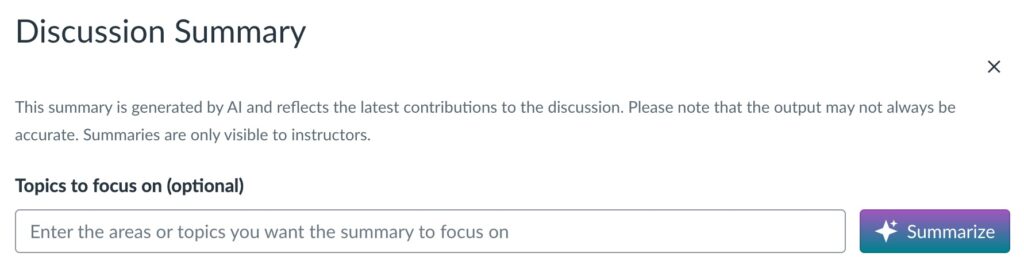
The Discussion Summary tool creates a concise summary of the main ideas, questions, or themes present in a discussion board. Instructors will see a “Summarize” button when viewing a discussion. Selecting this option will generate a summary of the posts in that thread.
Key Points for Instructors
- Instructor-Only Visibility: Summaries are only visible to instructors. Students do not see the summaries.
- Optional Use: The feature is on by default, but instructors may disable it at any time in their course settings under Feature Options.
- Customization: Instructors can add prompts to guide the summary, for example to highlight common themes or identify areas of confusion.
- Limitations: The summaries may not always capture every detail or nuance of student posts and shouldn’t be used for grading.
What This Means for Courses
This feature does not change how students interact with or view discussions. It is intended as an optional support tool for instructors who wish to use it.If you would like more information about how to access or manage the Discussion Summary tool in Canvas, please visit the Canvas Feature Overview or contact the CATLST team for support.